
What the message really means
A smart key, also called a proximity key, does not need to be inserted anywhere. The vehicle sends out a short range radio signal from antennas in the doors, cabin and trunk. The fob answers with a coded reply, and the car decides whether to allow entry and starting.
When the dash says key not detected, the exchange failed somewhere. Either the car did not hear the fob, the fob did not hear the car, or the answer did not pass the car's security check. It does not always mean the fob is dead, and it does not always mean the car is broken.
Because the system relies on weak signals and small batteries, many small things can interrupt it. The good news is that the same sensitivity means the cure is often small too.
The fob battery is the first suspect
A fob runs on a small coin cell. As the battery weakens, the fob's range shrinks. You may notice you have to stand closer to the car to unlock it, or the remote buttons need two presses. That is the early warning.
Eventually the signal gets too weak for the car to hear inside the cabin, and the start button gives the not detected message. Replacing the battery is a simple job on many fobs, though some are sealed and need a different approach.
If you replace the battery yourself, use the type printed on the old cell, insert it in the same direction, and keep your fingers off the flat surfaces. After a swap, the fob usually works at once, but a few designs may need a short resync procedure described in the owner's manual. Our guide to a dead fob battery covers the process in more detail.
- Reduced range on the remote is an early sign.
- A dim or absent indicator light on the fob can mean a weak cell.
- Replacing the battery is a good first step when other things look normal.
- A fresh battery can still fail to fix the problem if the cause is elsewhere.
Use the backup start position
Car makers know fobs go flat, so most push-button vehicles include a way to start the engine with a dead fob. The location varies. Some have a marked pocket in the center console. Others expect you to hold the fob against the start button or the steering column.
The car has a short range reader in that spot that works even when the fob battery is nearly empty, because it energizes the chip by magnetic coupling instead of relying on the battery. If the car starts this way, the fob battery is a strong suspect.
If you are not sure where the spot is, your owner's manual will show it. Search the index for terms such as key not detected, emergency start or backup. Do not guess by pressing the fob into random places, since that can scratch trim and rarely helps.
Interference from other devices and metal
Radio signals are easily absorbed or blocked. A fob in a pocket packed with a phone, a second fob, a metal money clip or a magnetic wallet may lose some range. Keep the fob separate for a moment and test again.
Phone chargers, wireless charging pads and dash cams can sit close to the antennas in the cabin and add noise. If the message appears only when something new is plugged in, unplug it and try again.
Strong radio sources outside the car can matter too. Some drivers see the message near large transmitters, airports, power stations or crowded parking structures with lots of electronics. It tends to clear up after moving the car, but you may need to start it first.
A simple isolation test
Take the fob out, hold it by itself near the center of the car and press the start button. Then try again with the fob held against the backup spot. If it starts only in the backup spot, signal strength is the issue. If it fails in both, the problem may be the fob's coding or the vehicle.
A weak car battery can look like a fob problem
The vehicle's own battery powers the antennas, the body computer and the start system. When it runs low, the car may fail to detect a perfectly good fob. Warning lights can flicker, the screen can reset, and the message may appear along with other odd behavior.
Look for dim dash lights, slow window movement, a clicking sound when you press start, or a display that reboots. Those are signs to think about the car battery first. A jump start or roadside battery service often solves it.
Cold weather makes this more likely, because batteries lose capacity in the cold. A car that sat for a few weeks, especially one with dash cams or other add-ons, can also drain down. It is worth ruling out before you spend on a fob.
Key fob programming and lost sync
Sometimes the fob has power but the car no longer recognizes it. This can follow a battery replacement, a vehicle battery disconnect, a repair in the electrical system, or the fob being dropped hard. In rare cases it follows a software update on the vehicle.
A fob must be known to the car, which means it is programmed to the vehicle's security system. If the registration was lost or damaged, the car treats the fob as a stranger. In that case replacing batteries does nothing, and programming is the cure.
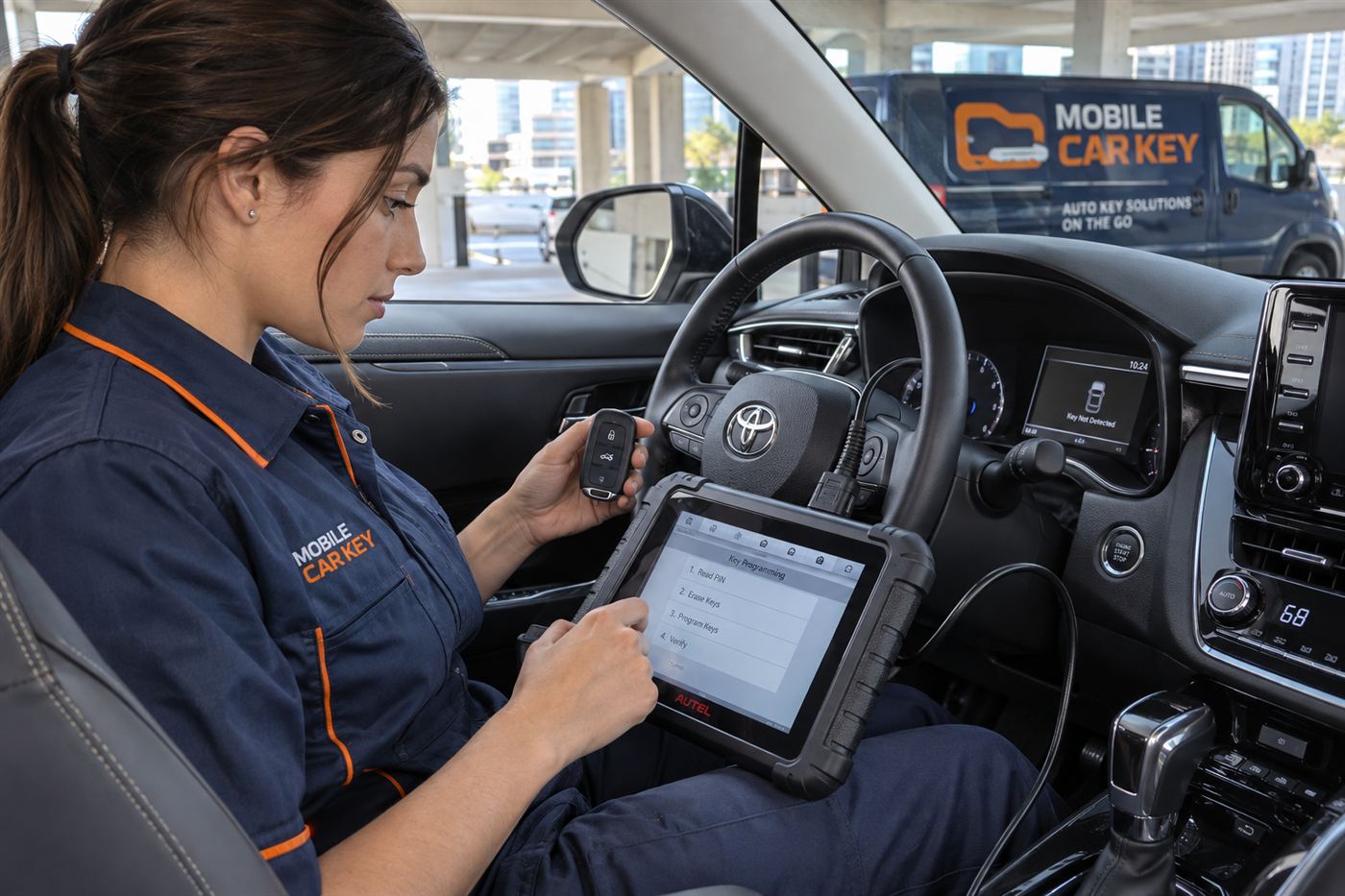
Programming needs equipment that talks to the vehicle's computer. Some vehicles allow an on-site procedure with the right tools, while others need dealer-level access, and newer models from some makes may need manufacturer authorization. Our page on key fob programming explains how this typically works, and remote and proximity fobs covers the difference between the two types.
Water, drops and physical damage
Fobs live hard lives. They get dropped on concrete, run through the wash, soaked at the beach and sat on in back pockets. Moisture can corrode the battery contacts or the small circuit board. A hard fall can crack a solder joint on the antenna.
If a fob has been wet, open it carefully if you can, remove the battery, and let it dry fully. Do not bake it or use a hair dryer on high heat. Clean any visible corrosion with a soft, dry brush.
A fob that works only when you squeeze it a certain way or after tapping it on a table is showing signs of a loose connection. That is worth treating as a replacement signal rather than a quirk, because it will fail at a bad moment.
What if the doors will not unlock either
If the not detected message shows up and the door will not open by touch or button, you can still get in with the emergency key. Most smart fobs hide a small metal blade. Slide the release, remove the blade and look for a keyhole on the driver door handle, which may be hidden behind a small cap.
Once inside, the car may still refuse to start until the fob is detected. At that point use the backup start method. The car may also sound an alarm when you use the mechanical key, which usually stops after the fob is recognized or the vehicle is started.
If you have lost the blade or the fob entirely, the situation is different and may require replacement keys. See all keys lost and lockout service for the broader picture.
How mobile service handles a not detected problem
A mobile automotive locksmith comes to the vehicle, which is useful when a car will not start and you do not want to tow it. The process begins when you call or send a callback request. The service asks for the year, make and model, the location, and what the dash says.
Availability, coverage and terms are confirmed before a technician is dispatched. This page is educational and does not create a service agreement. On site, the technician checks ownership or authorization, then tests the fob and the vehicle's response.
Possible outcomes include replacing the battery, cleaning or repairing contacts, programming a fob to the car, supplying a new fob, or recommending a diagnosis of the vehicle's electrical or receiver system. Some tasks, such as repairing a failed vehicle antenna, may go to a mechanic or dealer, and limits depend on the vehicle.
- Share the symptoms exactly as the dash words them.
- Say whether the doors unlock and whether the remote buttons work.
- Mention any recent battery work, accidents or repairs.
- Tell the service if you have a second fob and how it behaves.
A step-by-step order of checks
When the message appears, the temptation is to try everything at once. A calm order of checks saves time and avoids creating new problems. Work from the simplest, easiest test to the more involved ones, and note what changes at each step.
- Do not press start repeatedly when nothing happens.
- Do not assume a new unmatched fob will be recognized.
- Do not pry sealed fobs open with a screwdriver.
- Do not ignore a slow decline in remote range.
Check one: the obvious
Make sure you are actually holding the right fob and that it is the one for this vehicle. Households with several cars sometimes grab the wrong one, and similar looking fobs are easy to confuse. Confirm the brake pedal is pressed if your vehicle needs that to start.
Check two: the surroundings
Remove the fob from pockets and bags and hold it close to the dash. Unplug phone chargers, dash cams and other gadgets for a moment. If you are in a crowded parking structure, try again after a minute, or after moving the fob to the other side of the cabin.
Check three: the backup start
Use the owner's manual to find the backup reader position, hold the fob there and press the start button while pressing the brake. If the engine starts, the fob battery or signal strength is the likely story.
Check four: the car's own power
Look at the dash lights and listen for the usual startup sounds. If the lights are dim, doors respond slowly or there is only a click, treat it as a vehicle battery question before blaming the fob.
Check five: ask for help
If none of these changes the outcome, stop experimenting. A technician can test the fob with proper equipment and tell you whether it is a battery, a programming issue or something in the vehicle.
Why a spare fob changes everything
Having a second working fob turns this problem into a diagnostic puzzle with a clue. If the spare starts the car and the main fob does not, the car and its antennas are fine and the main fob is the issue. If neither fob works, the cause is much more likely to be in the vehicle.
That is the kind of simple evidence a technician uses too. It narrows the search without any tools. If you have a spare, try it before you call, and mention the result when you do.
If you do not have a spare, this is a good moment to think about getting one. A spare programmed while your current fob still works is usually simpler than a replacement when every fob is gone, since the car can authorize the new one from an existing key in some cases.
Mistakes drivers make with this message
The most common mistake is pressing the start button repeatedly, which can drain a marginal battery and does nothing for the detection problem. Another is repeatedly locking and unlocking, which uses the same weak fob battery you are trying to preserve.
Some drivers buy an inexpensive replacement fob online and assume it will work out of the box. A fob that has not been matched to the vehicle will not be detected, no matter how new it is. Bargain replacements can also carry the wrong frequency or chip type for the vehicle.
Others open the fob and bend the contacts to get a tighter fit, or force the battery in backwards. Handle the parts gently, and stop if something does not seat naturally. A fob case is a precision fit, and the little battery contacts are thin metal that can be bent permanently by a careless fingernail. If you are not sure how a particular fob opens, look for a small slot on the edge or a tiny screw hidden under the key ring loop, and search the manual before reaching for a tool.
Ownership proof for a replacement fob
If the fob needs to be replaced or reprogrammed, a reputable service asks for proof that you own the vehicle or are authorized to use it. A fob is a master access device, and the car's security system exists to prevent the wrong person from adding one.
Expect to show identification and a registration or title. For fleet vehicles, rentals or family cars, bring a letter or agreement that shows permission. Our ownership proof guide explains the common documents.
The check is made on site before work starts. It is routine, and it is part of why a properly programmed fob is trustworthy.
Habits that keep the fob responding
Replace the fob battery on a schedule instead of waiting for trouble, particularly if the fob is several years old. Keep a spare fob or a programmed spare key in a secure drawer so a single failure does not leave you stuck.
Do not leave the fob in a hot car or near strong magnets. Avoid storing it in a wet bag or beside other transmitters. If you carry two fobs, keep them apart in a pocket.
Learn the backup spot now, while nothing is wrong. Practicing it once in your driveway takes little time and makes a future failure far less stressful. A plan for a spare is covered in our spare key guide.
Related situations on this site
If the fob works but the battery keeps dying, read key fob battery keeps dying. If the key turns but the engine stays silent, see key turns but the car will not start. The full list of problems sits in the situations hub.
If a child or pet is locked in a hot car, call 911 first. Do not wait for a fob diagnosis.
Common questions
Why does my car say key not detected when the fob is in my pocket?
The car could not hear the fob or could not verify its code. Common causes are a weak fob battery, interference from other devices, a low vehicle battery or a fob that lost its programming. Try the backup start spot described in your manual.
Will a new fob battery fix the problem?
Often, yes, especially if the fob's range has been shrinking. But if the car battery is weak or the fob lost its registration, a new cell will not help. Check the other causes if the new battery makes no difference.
Can I still start the car if the fob is dead?
Usually. Most push-button vehicles have a backup spot where the fob can be held to start the engine even without battery power. The location varies by vehicle, so check the owner's manual.
Does the message mean my fob needs programming?
Not necessarily. Programming is one possibility, usually when other fixes fail or after electrical work. A technician can test the fob and tell you which cause applies.
Can a mobile service replace a smart key at my location?
For many vehicles, yes, though limits depend on make, model and year. Some newer vehicles need dealer-level tools or manufacturer access. Availability and terms are confirmed before dispatch.
What should I do if the doors will not unlock either?
Use the hidden mechanical key blade in the fob to open the driver door. Then try the backup start method. If you have no blade or fob at all, request lockout and key service and be ready to show ownership.